
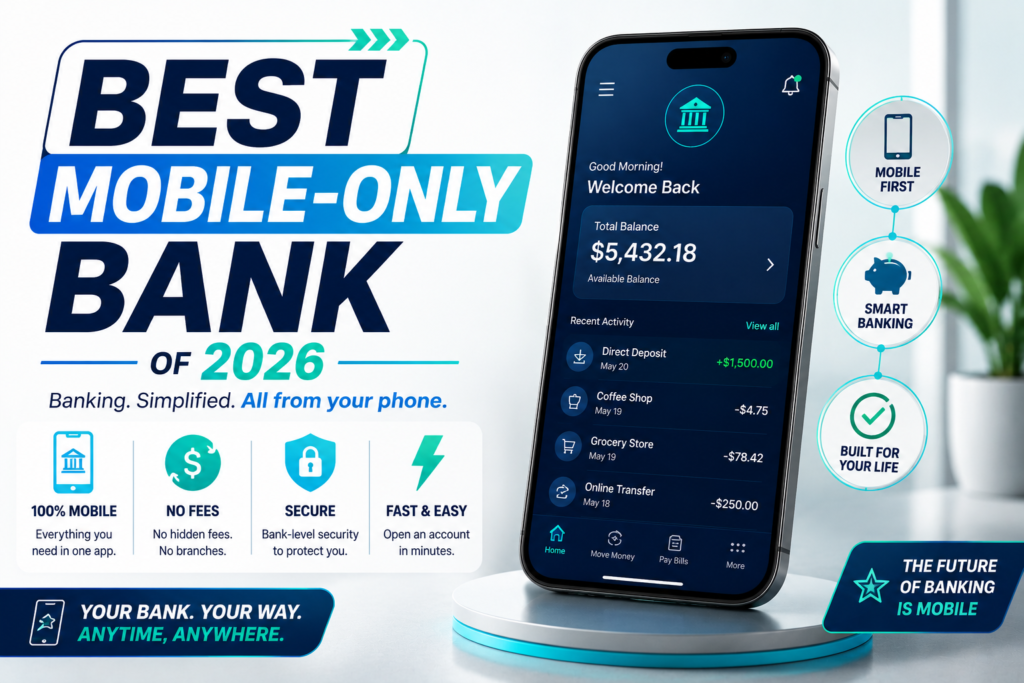
A mobile-only bank isn’t just a bank without branches — it’s one where the app itself is the entire banking experience, often with little more than a basic account-management page on desktop, if that. That makes app quality the single most important factor in choosing one, since you’ll be doing 100% of your banking through it. This guide ranks the best mobile-only banks specifically on app experience: design, unique features, reliability, and how much you can actually accomplish without ever touching a browser.
If you’re comparing rates and account features more broadly, see our complete guide to the [best online banks of 2026].
What Makes a Mobile Banking App Genuinely Good
Beyond basic balance-checking, the strongest mobile-only banking apps typically offer:
- Instant card controls — freezing, unfreezing, or setting spending limits on your debit card directly from the app
- Mobile check deposit with fast, reliable processing (same-day or next-day)
- Biometric login (Face ID, fingerprint) for quick, secure access
- Real-time transaction alerts and spending insights, not just a monthly statement
- In-app customer support, ideally with live chat or phone access built directly into the app rather than requiring a separate call
- Peer-to-peer transfers that work smoothly even with people who don’t use the same bank
Quick Answer: Best Mobile-Only Banking Apps of 2026
| Bank | Best For | Standout App Feature | Live Support in App |
|---|---|---|---|
| Ally Bank | Best Overall App Experience | Buckets + Surprise Savings automation | Yes, 24/7 chat and phone |
| SoFi | Best All-in-One App | Combines banking, investing, and loans in one app | Yes |
| Chime | Best for Simplicity | Instant, fee-free Pay Anyone transfers | Yes, in-app chat |
| Varo Bank | Best In-App Live Support | 24/7 live support built into the app | Yes, 24/7 |
| Axos Bank | Best for Linking Outside Accounts | Lets you link non-Axos accounts to manage everything in one app | Yes |
| Current | Best Visual Budgeting Experience | Savings Pods with real-time spending alerts | Yes |
Below, we go deeper on each app, including exactly what sets its mobile experience apart.
Ally Bank — Best Overall App Experience
Ally’s app consistently ranks at or near the top of mobile banking comparisons, built around genuinely useful automation rather than just static account information.
Standout app features:
- Buckets let you visually split savings into labeled sub-goals directly within the app
- Surprise Savings analyzes your linked checking activity and automatically moves money it identifies as safe to save — a genuinely automated feature, not just a manual budgeting tool
- 24/7 in-app chat and phone support, without needing to leave the app to get help
- Consistently high app store ratings across both iOS and Android
Why it stands out: most banking apps show you your money; Ally’s app actively helps manage it for you, which matters more in a mobile-only relationship where there’s no branch to fall back on for advice.
SoFi — Best All-in-One Financial App
SoFi’s app goes beyond checking and savings, pulling investing, loans, and credit score tracking into the same experience — appealing if you want to manage more of your financial life in one place.
Standout app features:
- Unified dashboard for checking, savings, investing, and loan accounts under a single login
- Unlimited «Vaults» for organizing savings goals visually within the app
- In-app credit score tracking and financial insights
- Strong app store ratings across both platforms
Why it stands out: for people who want a single app rather than juggling a separate banking app, investing app, and loan-tracking app, SoFi consolidates the most into one mobile experience.
Chime — Best for Simplicity
Chime’s app is deliberately stripped down, and that simplicity is precisely why it consistently earns high app store ratings from users who want banking to be straightforward.
Standout app features:
- Pay Anyone, Chime’s instant, fee-free transfer feature that works even when sending money to people who don’t use Chime
- SpotMe fee-free overdraft coverage, managed and displayed directly in the app
- In-app live chat support
- Clean, uncluttered interface with minimal learning curve
Why it stands out: for users who find other banking apps overwhelming, Chime’s minimal design and straightforward navigation reduce friction, which shows up directly in its consistently strong user ratings.
Varo Bank — Best In-App Live Support
Varo distinguishes itself with genuinely accessible 24/7 live support built directly into the app — a detail that matters more than it might seem when you have no branch to walk into.
Standout app features:
- 24/7 live support accessible directly within the app, not just a help-center article or a separate phone number to dig up
- Believe secured credit card management integrated into the same app for users building credit
- Real-time savings rate and activity tracking
Why it stands out: when something goes wrong with a mobile-only bank, the ability to reach a live person without leaving the app — at any hour — is exactly the kind of support most people don’t think to check for until they need it.

Axos Bank — Best for Linking Outside Accounts
Axos’s app has a distinctive feature most competitors don’t offer: you can use core app features to manage and link non-Axos accounts, even without opening an Axos account yourself.
Standout app features:
- Account aggregation, allowing you to link external accounts and manage financial activity from multiple institutions in a single view
- Cash-back debit tracking directly in the app for Axos checking customers
- Unlimited domestic ATM fee reimbursement tracked and displayed in-app
Why it stands out: the ability to bring in outside accounts makes Axos’s app function almost like a lightweight financial dashboard, not just a single-bank account viewer.
Current — Best Visual Budgeting Experience
Current’s app leans heavily into visual organization, making it a strong pick for people who think in terms of clearly labeled goals rather than one undifferentiated balance.
Standout app features:
- Savings Pods for organizing money into visually distinct, named goals
- Real-time spending alerts, notifying you the moment a transaction posts
- Early direct deposit tracking visible directly in-app
Why it stands out: for visual thinkers, seeing money organized into labeled Pods rather than a single number can make budgeting feel more concrete and easier to stick with.
What to Test Before You Commit
Since a mobile-only bank’s app is the entire relationship, it’s worth spending ten minutes with it before moving your primary direct deposit over. Download the app, create an account (most let you preview the interface before fully funding it), and specifically check: how long mobile check deposit actually takes to clear, whether card freeze/unfreeze works instantly or with a noticeable delay, and how easy it is to actually reach a live support agent versus getting routed through an automated chatbot loop first. A polished marketing page doesn’t always match the day-to-day experience, and the small frictions — a slow-loading transaction feed, a support chat that takes 20 minutes to connect you to a person — are the kind of thing that’s hard to judge from reviews alone but immediately obvious once you’re using the app daily.
Mobile-Only Bank vs. Bank With a Mobile App: What’s the Difference?
Almost every bank has a mobile app today, including large traditional banks like Chase and Wells Fargo. The distinction that matters here is that mobile-only banks have no physical branches at all, and often minimal or no meaningful desktop banking experience — the app isn’t a convenience layered on top of a full-service bank, it’s the entire product. This means app quality, reliability, and in-app support aren’t just nice extras; they’re the only support system you have if something goes wrong.
How We Chose These Apps (Methodology)
To rank the best mobile-only banking apps of 2026, we evaluated publicly available information about each app’s features, focused on:
- Unique automation or organizational features, beyond basic balance and transaction viewing
- In-app customer support availability, including live chat or phone access
- App store ratings on both iOS and Android where available
- Card control features, such as instant freeze/unfreeze and spending limits
- Whether the bank supports account aggregation or other features beyond a single-bank view
How to Choose the Right Mobile-Only Bank
If you want an app that actively helps manage your money, not just display it: Ally’s Buckets and Surprise Savings automation set it apart.
If you want to consolidate banking, investing, and credit tracking in one place: SoFi’s unified app covers the most ground.
If you find most banking apps overwhelming: Chime’s minimal, straightforward design reduces friction significantly.
If you want to know you can reach a real person any time of day: Varo’s 24/7 in-app live support is a genuine standout.
If you want to see accounts from other banks in the same view: Axos’s account aggregation feature is unusual among mobile-only banks.
If you’re a visual thinker who wants clearly labeled savings goals: Current’s Pods make budgeting feel more concrete.
Frequently Asked Questions
Is a mobile-only bank as secure as a traditional bank’s app? Yes, generally. Mobile-only banks use the same security standards as traditional banks — encryption, biometric login, two-factor authentication — and deposits are FDIC-insured (directly or through a partner bank) the same way they would be at a branch-based bank.
What happens if the app goes down or I lose my phone? Most mobile-only banks offer a web-based backup login for basic account access, and all offer a way to report a lost phone and secure your account, typically through phone support. It’s worth testing your specific bank’s process before you need it in an emergency.
Can I deposit cash with a mobile-only bank? Generally not directly through the app. Some mobile-only banks, like Varo, support fee-free cash deposits at participating retail locations, while others require routing cash through a linked account at a different bank first.
Do mobile-only banks have worse customer service than traditional banks? Not necessarily — several, including Varo and Ally, are specifically recognized for strong customer support despite lacking physical branches. The key is confirming whether support is available 24/7 and accessible directly within the app before you need it.
Is it worth switching from a bank with a mobile app to a truly mobile-only bank? It depends on what you value. If you occasionally want in-person help or cash deposit access, a hybrid option like Capital One 360 might suit you better. If you’re comfortable managing everything digitally and want the strongest possible app experience, a mobile-only bank built entirely around that use case will generally offer a more refined experience.
How do I check app store ratings before choosing a mobile-only bank? Search for the specific app in the Apple App Store or Google Play Store and read both the star rating and recent written reviews, since ratings can shift over time and recent reviews often reflect the current app experience more accurately than an aggregate score built up over years.
Bottom Line
For the most complete, actively helpful app experience, Ally Bank remains a strong overall pick thanks to its automation features. If you want to consolidate more of your financial life into one app, SoFi covers the most ground. And if simplicity or 24/7 in-app support matters most to you, Chime and Varo, respectively, are worth a close look.
Whichever mobile-only bank you choose, spend a few minutes exploring the app yourself (most offer a preview or easy signup) before committing, since the entire relationship depends on how comfortable you are using it every day.
This article is for informational purposes only and does not constitute financial advice. BankNavigatorr may receive compensation from some of the providers mentioned through affiliate partnerships, which does not influence our editorial rankings.